


In an earlier post, I had discussed how to register with MF Utility. Since then, I have received many queries pertaining to issues while purchasing mutual fund units or setting up SIPs using MF Utility website/portal.
In this post, I will discuss how to purchase mutual fund units through MF Utility website. Rather than writing about the process and pasting images, I decided to prepare a few videos on how to purchase mutual units and set up Systematic investment plans (SIPs) using MF Utility.
This was my first attempt to prepare a video tutorial and my lack of expertise is written all over the videos. However, in my opinion, this should be good enough for you.
How to purchase MF Units using MF Utility Website (English)
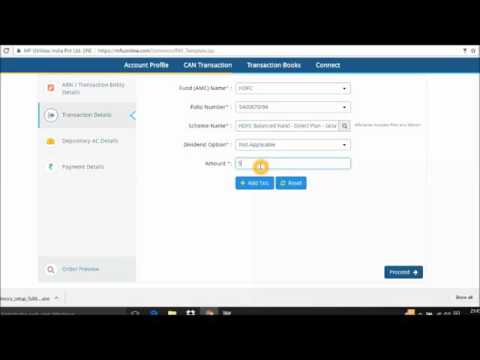
Demo: How to purchase MF Units using MF Utility Website (Hindi)
How to set up SIP using MF Utility Website (English)

Demo: How to set up SIP using MF Utility portal (Hindi)
Modes of Payment in MF Utility
- Net Banking: Once you submit the transaction, you will be taken to a payment gateway and you will be able to make payment through your net banking login.
- NEFT: You will have to transfer the purchase amount to MFU Escrow account.
- RTGS: Similar to NEFT
- PayEezz: This is my preferred mode of payment. PayEezz is a one-time mandate through which an investor provides a standing instruction to his/her bank authorizing MFU to debit bank account for future transactions. You have to submit a filled PayEezz form to MFU. You can submit PayEezz form while submitting CAN form (or later).
If you want to set up SIP using MF Utility, you need PayEezz registration.
For more about PayEezz registration, refer to FAQS on MFU website.
NEFT/RTGS
For NEFT/RTGS, you need to register a Virtual Account in Fund Transfer of your bank website. Even though it is a virtual account, you need to register the account as you would register any other account for transfer.
You can add account with either Kotak Mahindra Bank or ICICI Bank. Following are the details. You are advised to confirm the details with MFU customer care before making any funds transfer.
Kotak Mahindra Bank
Name: MFU E-Collection Escrow Account
Virtual CMS code: MFKK
IFSC: KKBK0000958
Branch Address: II -5C , MITTAL COURT ,224 , NARIMAN POINT, Mumbai – 400021
Beneficiary Account Number:MFKK<<CAN>>
So, if your CAN is 12345ABC67, the account number will be MFKK12345ABC67.
ICICI Bank
Name: MFU E-Collection Escrow Account
Virtual CMS code: MFIB
IFSC: ICIC0000104
Branch Address: ICICI Bank Ltd. CMS Branch, ICICI Bank Ltd. CMS, EMPIRE COMPLEX, LOWER PAREL, MUMBAI 400 013
Beneficiary Account Number:MFIB<<CAN>>
Do note I am providing these details based on information shared MF Utility customer care when I enquired about NEFT/RTGS. I have not done any transaction on MF Utility using NEFT/RTGS. Therefore, before initiating any such transactions, you must verify the details with MFU customer care.
If you find the videos useful, please share on your social media pages.